Live for all six BART lines · iPhone & Android
Every BART train.
Live on the map.
BART doesn’t publish where its trains are. Trackside works it out — for every train, every second — and draws each one as a real 3D car on the track. Then it tells you the exact minute to walk out the door.
- Free
- No account
- All 50 stations
- Precise location stays private

The live map
The map BART doesn’t publish.
BART shares departure times, not train locations. Most apps stop there and show you a list. Trackside reconstructs where every train actually is — and puts it on the map.
- 01
Read the whole system at once
Every 15 seconds, Trackside pulls BART’s live departure estimates for all 50 stations in a single request.
- 02
Work backwards from the platform
If a train is 90 seconds from Powell and the run from Montgomery takes two minutes, it’s a quarter of the way there. Do that for every estimate, merge the duplicates, and you have every train.
- 03
Glide, don’t jump
Between updates each train keeps moving at its scheduled pace — and never past the next station — so the map moves like the real thing.
Real BART track geometry and run times. In the app, positions come from BART’s live feed.
Scroll or drag to turn the train — these are the app’s actual sprites.
Real 3D trains
Not a dot. A train.
Every train on the map is a pre-rendered 3D model of the car you’re about to board, gliding along the real track.
- Modeled from the real car
- A Blender model of BART’s Fleet of the Future car — the blue cab ends, the door layout, the roof line.
- 32 headings, one camera
- Rendered from a fixed camera at every angle, so a train turning the corner at MacArthur faces exactly the way it’s going — and never changes size.
- Glows in its line colour
- Each car carries a soft underglow in its line’s colour, so you can tell a Richmond train from a Daly City one at a glance.
Leave alerts
Know the exact minute to walk out the door.
Pick a train. Trackside adds how long it takes you to reach the platform — by foot, bike, or car — plus a buffer, and alerts you when it’s time to go. Then it keeps watching that train.
- 8:23
Pick your train
Tap the 8:42 Daly City train at Powell.
- 8:23
Trackside does the maths
A 7-min walk + 2 min through the fare gates + your 2-min buffer. Leave at 8:31.
- 8:29
Your train runs late+3 min
BART’s feed shows it 3 minutes behind. Your alert quietly moves to 8:34.
- 8:34
Leave now
A time-sensitive alert — or, on iOS 26, a real alarm that rings even on Silent.
Live Activity · iPhone
Your countdown, right on the Lock Screen.
Once an alert is set, the countdown lives on your Lock Screen and in the Dynamic Island. It ticks on its own — no need to open the app — and it moves if your train does.
Follow the train you’re on
Track any train to see its next stop, and get a nudge about two minutes before yours.
On Android, too
Leave and arrival alerts arrive as high-priority notifications with their own chime.
And everything else
All of BART, done properly.
Departures for every platform, live delays, car counts, and the details you actually check on the way to the station.
Trip planner with Clipper fares
Any station to any station, with transfers worked out and the Clipper fare shown. Leave now or arrive by a time.
Advisories & elevator outages
BART’s service advisories in one calm line over the map, plus every elevator that’s out — before you get to the station.
Wake me before my stop
Following your train? Trackside nudges you about two minutes before it reaches your stop.
Two maps
A clean lines diagram with stacked line colours, and a street map drawn on BART’s real track geometry.
Favorites & nearby, first
Your stations sit at the top, then the closest ones. Every station is one search away.
Share a train
Send a train, trip or journey as plain text with clock times — it stays true after you hit send, even for friends without the app.
Feels native on both
Liquid Glass on iOS 26, Material on Android, full dark mode, haptics, and a map that rests when you’re not looking at it to save battery.
Privacy
No account. Your precise location stays yours.
A transit app shouldn’t need to know who you are. Trackside doesn’t ask.
No account, ever
There’s nothing to sign up for. No email, no password, no profile — open the app and your train is there.
Your precise location is never sent to us
It’s used on your phone to find your nearest station and time your trip. On iPhone, Apple Maps works out the walking or driving time.
Your stuff stays on your phone
Favorites, settings and alerts are stored on the device. Delete the app and they’re gone.
Anonymous usage stats only
Which screens get used, so we know what to improve — tied to a random ID, never your name or location. Never sold.
A closer look
Designed for the walk to the station.
Street map
Lines map
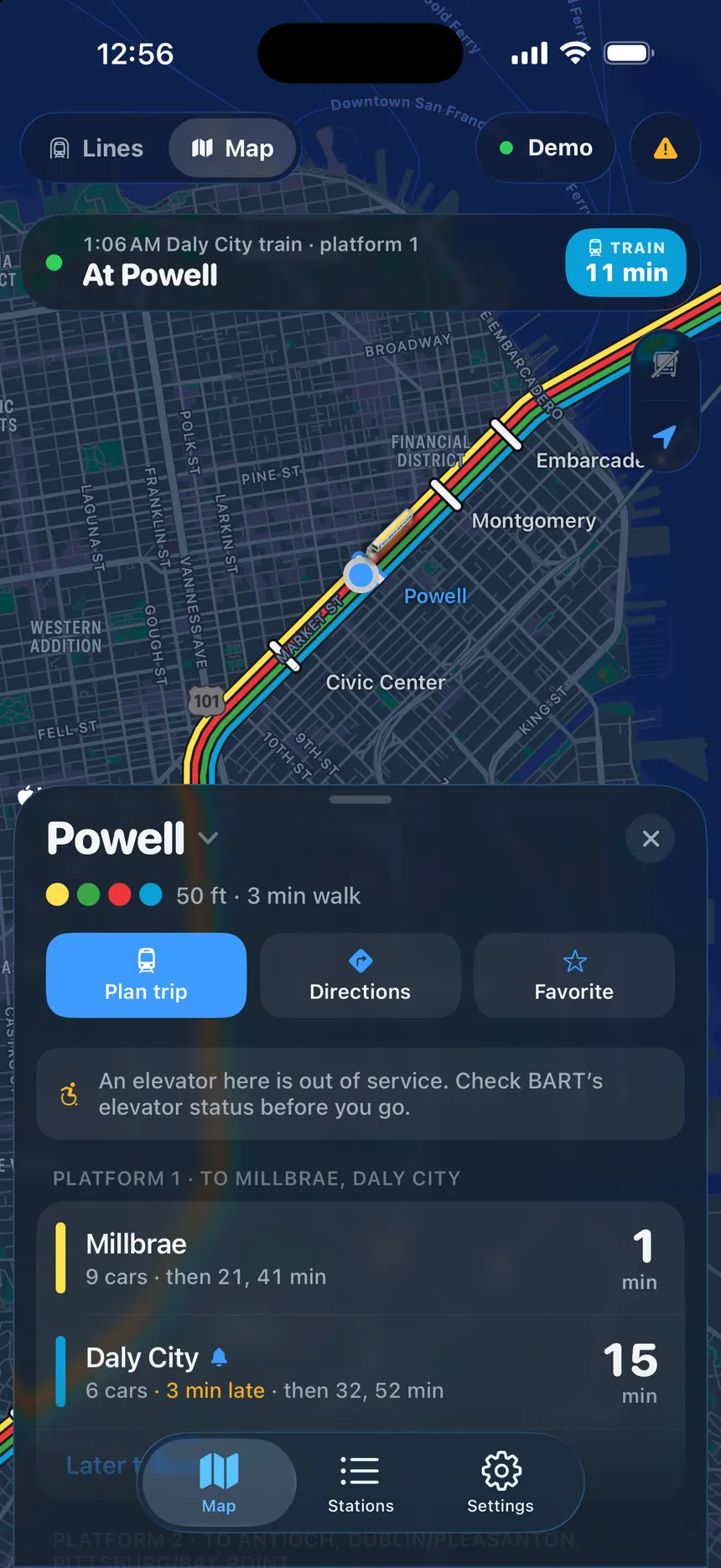
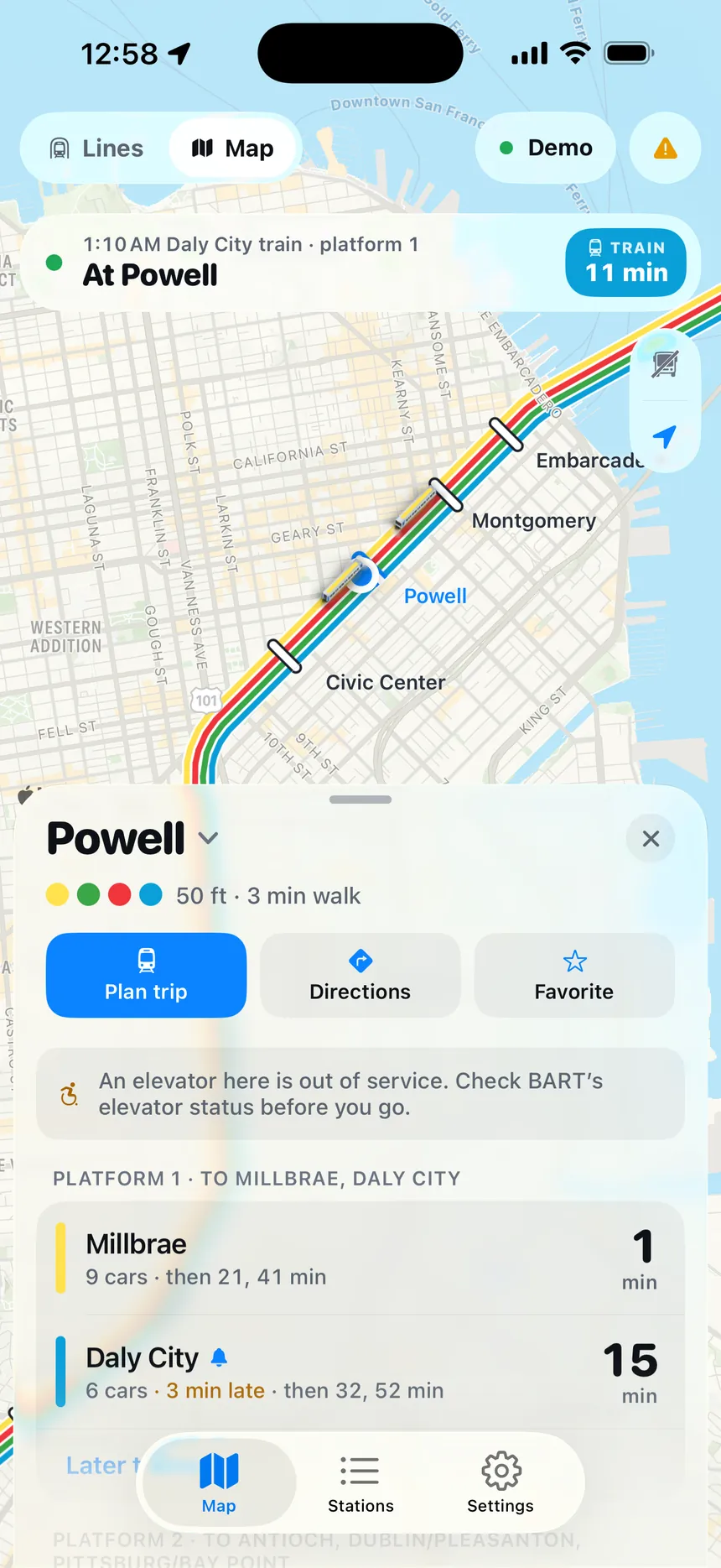
Departures
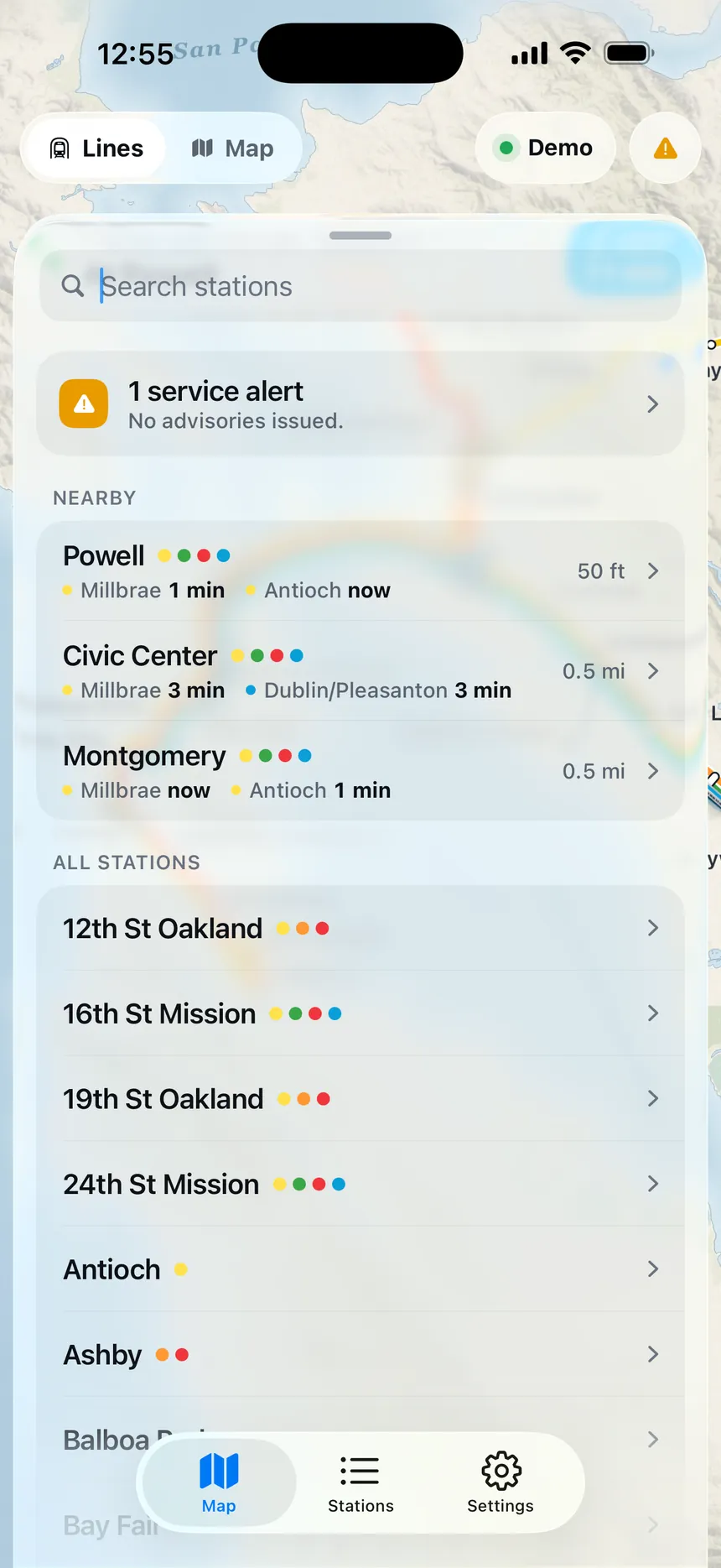
Stations
- 8:24Plan tripFromPowellToSFOLeave nowArrive by…8:42 → 9:1331 minDirectClipper fare8:48 → 9:2133 minDirectClipper fare8:51 → 9:3039 min1 transfer · Daly CityClipper fareMapStationsSettings
Trip planner
- 7:58Alerts▲ Service advisoryDelays of up to 10 minutes systemwide while crews clear an equipment problem.Elevators⇅19th St Oakland — street to concourse⇅Civic Center — platform elevator⇅Fremont — concourse to platform
Advisories


Compare
Trackside vs. the usual apps.
Plenty of apps show BART departure times, and many do it well. Here’s what Trackside adds on top.
| Feature |  Trackside Trackside | The usual apps |
|---|---|---|
| Where your train is right now | Where your train is right nowEvery train drawn live on the map, moving every second | A list of departure times per station |
| What a train looks like | What a train looks likeA 3D Fleet of the Future car facing its real heading | A dot or icon, if trains are shown at all |
| When to leave | When to leaveYour walk, bike or drive time plus a buffer, worked out for you | You do the maths |
| If your train runs late | If your train runs lateYour alert moves with it | A reminder at a fixed time |
| Countdown without opening the app | Countdown without opening the appLive Activity on the Lock Screen and Dynamic Island (iPhone) | Usually not available |
| Phone on Silent | Phone on SilentCan ring like an alarm (iOS 26) | A notification that’s easy to miss |
| Getting started | Getting startedOpen it. No account. | Sometimes asks you to sign up |
| Price | PriceFree | Free or paid |
“The usual apps” describes common BART departure apps in general, not any specific product.
FAQ
Questions, answered.
Is Trackside really free?
Yes. Trackside is free to download and use, with no account and no subscription. We may show ads in the future to keep it free; if we do, they’ll stay out of the way of the map and your leave timer, and we’ll update our privacy policy before they appear.
BART doesn’t publish train locations. How does Trackside show them?
BART publishes live departure estimates for every station. Trackside combines those with the median time each train takes between stations: if a train is 90 seconds from a station and the run from the previous one takes two minutes, it’s a quarter of the way along. Doing that for every estimate — and merging duplicates — reconstructs every train on the line.
How accurate are the train positions?
They’re estimates built from BART’s own live data, refreshed every 15 seconds. Between updates, trains glide at their scheduled pace and never past the next station, so they don’t jump around. When BART reports a delay, the train on the map reflects it.
Which lines and stations are covered?
All of them: the Yellow, Orange, Red, Green and Blue lines, the Oakland Airport connector, and all 50 stations.
How do leave alerts work?
Pick a train and how you’re getting to the station — walk, bike, drive, or a custom number of minutes — plus an optional buffer. Trackside works out when you need to leave and alerts you then. If the train runs late, the alert moves with it.
Will the alert go off if my phone is on Silent?
On iPhone with iOS 26 or later, Trackside can set a real system alarm that rings through Silent and Focus, like the Clock app. Otherwise it uses a time-sensitive notification with its own chime. On Android it uses a high-priority notification channel with an alarm chime.
Does Trackside work on Android?
Yes — the live map, 3D trains, departures, trip planner, and leave and arrival alerts all work on Android. Live Activities and the Dynamic Island are iPhone features. On Android, travel times to the station are estimated on your device.
Do I need to share my location?
No. Location is optional and used only while the app is open, to find your nearest station and estimate how long it takes you to get there. You can always pick stations yourself. Your precise location is never sent to our servers.
Do I need an account?
No. There’s no sign-up and no login. Your favorites and settings are stored on your phone.
Is Trackside an official BART app?
No. Trackside is an independent app built on BART’s public real-time data. It is not affiliated with or endorsed by the San Francisco Bay Area Rapid Transit District.
Something else? Visit support or email admin@bobatravel.com.
Your train is already moving.
See exactly where it is — and when to leave to catch it. Free on iPhone and Android.